TLS 1.3 on NetScaler — Doing It Properly, Not Just Ticking the Box
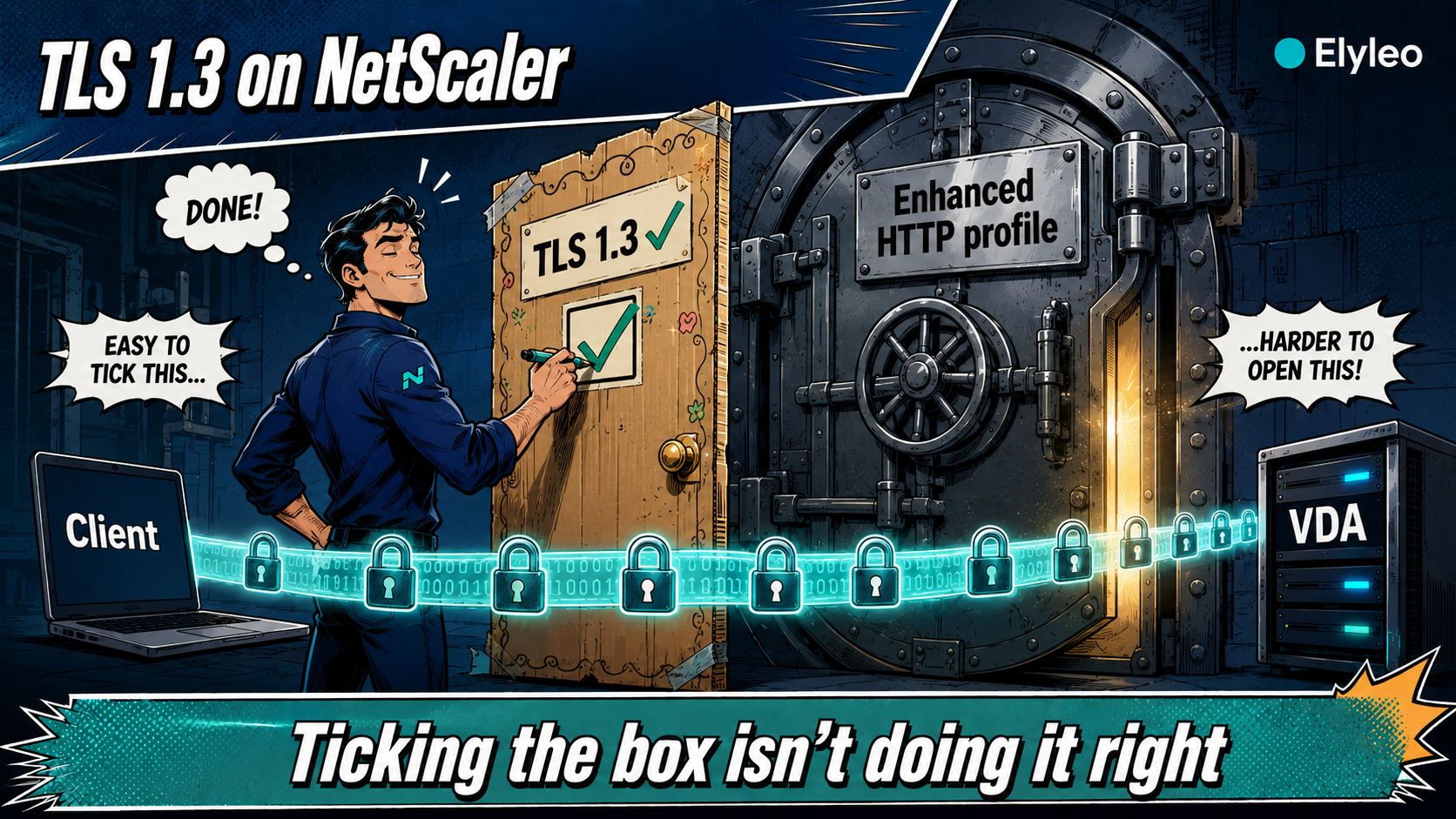
TL;DR — Enabling TLS 1.3 on NetScaler is not a single checkbox. The catch nobody mentions: real TLS 1.3 only lives on the enhanced SSL profile, and switching to it is a disruptive, global, one-way change you must plan. This article walks through doing it properly — enhanced profiles, the right cipher group, 0-RTT (and its trap), keeping legacy clients alive, taking TLS 1.3 all the way to the VDA, and how to actually verify it.
📋 Table of Contents
1. Why TLS 1.3 — and Why It’s Not One Click
TLS 1.3 is the modern baseline: a faster handshake (one round-trip instead of two), AEAD-only cipher suites with the legacy cryptography stripped out, forward secrecy by default, and a much smaller attack surface. Auditors expect it, and your users get a quicker, cleaner connection. So far, so obvious.
The trap is that « enable TLS 1.3 » sounds like flipping one switch — and on NetScaler it isn’t. The protocol you actually get depends on which SSL profile your virtual server uses. Get that wrong and you’ll happily report « TLS 1.3 enabled » while half the modern features silently don’t work. Let’s do it the way that survives an audit.
If you’re still on 13.1, TLS 1.3 is only partial there — and back-end TLS 1.3 to the VDA doesn’t exist before 14.1. This article assumes you’re on a current 14.1 build. The why-upgrade case is its own piece.
2. The Enhanced Profile Prerequisite
Here’s the part that trips people up. NetScaler has two worlds of SSL configuration: the legacy per-vserver SSL parameters, and the enhanced SSL profiles. Full, modern TLS 1.3 — including the niceties — only lives on the enhanced profile. On the legacy/default profile you can toggle TLS 1.3 on, but you won’t get the complete behaviour (think abbreviated handshakes via ticket-based resumption, 0-RTT early data).
💡 Two worlds, one correct choice
- Per-vserver SSL params
- TLS 1.3 only partial
- No 0-RTT, limited resumption
- Profiles bound to vservers
- Full, native TLS 1.3
- 0-RTT, ticket resumption, modern controls
Switching the appliance over to default/enhanced profiles is done globally:
# Turns on the enhanced SSL profile infrastructure for the whole appliance
set ssl parameter -defaultProfile ENABLED
Enabling the default profile is a global change: it binds the built-in front-end profile to every SSL vserver and overrides the SSL settings you previously configured per vserver. It is not cleanly reversible without a reboot. Do it in a maintenance window, on a tested config, with your custom SSL settings already re-expressed as profiles. Never run this on a Friday afternoon « just to try it. »
3. Enabling TLS 1.3 & the Right Ciphers
With enhanced profiles in play, you create a profile that allows TLS 1.3 (and, for now, TLS 1.2 — see section 5), disables the dead protocols, and binds a clean cipher group.
# The three TLS 1.3 suites, in a sensible order
add ssl cipher CG_TLS13
bind ssl cipher CG_TLS13 -cipherName TLS1.3-AES256-GCM-SHA384 -cipherPriority 1
bind ssl cipher CG_TLS13 -cipherName TLS1.3-AES128-GCM-SHA256 -cipherPriority 2
bind ssl cipher CG_TLS13 -cipherName TLS1.3-CHACHA20-POLY1305-SHA256 -cipherPriority 3
# Allow TLS 1.3 and 1.2, kill the legacy protocols
add ssl profile prof_tls13 -tls13 ENABLED -tls12 ENABLED \
-ssl3 DISABLED -tls1 DISABLED -tls11 DISABLED
# Bind the TLS 1.3 ciphers (add your TLS 1.2 ECDHE suites too)
bind ssl profile prof_tls13 -cipherName CG_TLS13
# Modern curves first (X25519 / P-256)
bind ssl profile prof_tls13 -eccCurveName X25519
bind ssl profile prof_tls13 -eccCurveName P_256
# Apply the profile to the vserver
set ssl vserver vs_gateway -sslProfile prof_tls13
The SSL profile is also where you can enforce HSTS (-HSTS ENABLED -maxage 31536000). One profile, TLS 1.3 and a clean security-header story in the same pass.
4. 0-RTT: The Speed Feature With a Trap
TLS 1.3 can do 0-RTT (zero round-trip) early data: a returning client sends application data on the very first packet, before the handshake completes. It’s a real latency win. It’s also the one TLS 1.3 feature that carries a genuine security caveat.
By design, 0-RTT early data is not fully protected against replay attacks. For idempotent GETs that’s usually fine; for anything that changes state (a POST that moves money, say) it’s not. Enable it deliberately, and only where the application can tolerate it — don’t switch it on blanket across a Gateway that fronts sensitive transactions.
set ssl profile prof_tls13 -zeroRttEarlyData ENABLED
5. Keeping Legacy Clients Alive
The temptation after reading a hardening guide is to disable everything below TLS 1.3 and walk away. In the real world, that breaks people. Some older endpoints, embedded devices, scanners, legacy thick clients and the occasional ancient browser still only speak TLS 1.2.
So the pragmatic, audit-friendly posture is usually: TLS 1.3 preferred, TLS 1.2 still allowed (with strong ECDHE/AEAD suites), everything below firmly off. Modern clients negotiate 1.3; the stragglers fall back to a still-acceptable 1.2 instead of failing outright.
Keep on: TLS 1.3 + 1.2
1.3 for modern clients, 1.2 (ECDHE + AEAD only) as the safety net for the stragglers.
Turn off: SSLv3, TLS 1.0/1.1
Dead protocols, recurring audit findings. No modern client needs them.
Know your clients first
Before you drop 1.2, check the logs for what’s actually negotiating. Assumptions about « everyone’s modern » age badly.
6. End to End: TLS 1.3 to the VDA
On a Citrix platform, the front door isn’t the whole story. Historically the connection between the NetScaler Gateway and the VDA lagged behind the public-facing TLS. From NetScaler Gateway 14.1 build 43.50 and later, you can secure that leg with TLS 1.3 too — closing the gap so the encryption is consistent from the user’s browser all the way to the session host.
If your security baseline (or your auditor) cares about internal traffic encryption, this is the piece that turns « TLS 1.3 at the edge » into « TLS 1.3 end to end. » It’s also a concrete reason the upgrade to 14.1 pays for itself beyond the front-end handshake.
7. Verifying It Actually Works
Never trust the config screen alone. Confirm from the outside.
# Should connect and show "Protocol: TLSv1.3" + a TLS_AES_* cipher
openssl s_client -connect gateway.your-company.com:443 -tls1_3 </dev/null 2>/dev/null \
| grep -E "Protocol|Cipher"
External scanner
SSL Labs / Mozilla Observatory for a graded report you can attach to the audit response. Aim for an A.
Browser devtools
The Security tab shows the negotiated protocol and cipher for the live connection — quick sanity check per client.
Watch the fallback
After go-live, check how many sessions still negotiate 1.2. That number tells you when you can finally retire it.
8. Conclusion
TLS 1.3 on NetScaler is straightforward once you know the one thing the guides skip: it lives on the enhanced profile, and getting there is a deliberate, global, plan-it-properly change — not a casual toggle. Do that, bind a clean AEAD cipher group, treat 0-RTT with respect, keep TLS 1.2 as a temporary safety net, and take the encryption all the way to the VDA.
✅ TLS 1.3 done-right checklist
The enhanced-profile switch is exactly the kind of change that’s trivial when planned and painful when improvised. If you’d like a second pair of hands to harden your NetScaler SSL the right way — TLS 1.3, ciphers, HSTS, end to end — that’s bread-and-butter work for me. Happy to scope it.
9. References
TLS 1.3 on NetScaler — Doing It Properly, Not Just Ticking the Box
TL;DR — Enabling TLS 1.3 on NetScaler is not a single checkbox. The catch nobody mentions: real TLS 1.3 only lives on the enhanced SSL profile, and switching to it is a disruptive, global, one-way change you must plan. This article walks through doing it properly — enhanced profiles, the right cipher group, 0-RTT (and its trap), keeping legacy clients alive, taking TLS 1.3 all the way to the VDA, and how to actually verify it.
📋 Table of Contents
1. Why TLS 1.3 — and Why It’s Not One Click
TLS 1.3 is the modern baseline: a faster handshake (one round-trip instead of two), AEAD-only cipher suites with the legacy cryptography stripped out, forward secrecy by default, and a much smaller attack surface. Auditors expect it, and your users get a quicker, cleaner connection. So far, so obvious.
The trap is that « enable TLS 1.3 » sounds like flipping one switch — and on NetScaler it isn’t. The protocol you actually get depends on which SSL profile your virtual server uses. Get that wrong and you’ll happily report « TLS 1.3 enabled » while half the modern features silently don’t work. Let’s do it the way that survives an audit.
If you’re still on 13.1, TLS 1.3 is only partial there — and back-end TLS 1.3 to the VDA doesn’t exist before 14.1. This article assumes you’re on a current 14.1 build. The why-upgrade case is its own piece.
2. The Enhanced Profile Prerequisite
Here’s the part that trips people up. NetScaler has two worlds of SSL configuration: the legacy per-vserver SSL parameters, and the enhanced SSL profiles. Full, modern TLS 1.3 — including the niceties — only lives on the enhanced profile. On the legacy/default profile you can toggle TLS 1.3 on, but you won’t get the complete behaviour (think abbreviated handshakes via ticket-based resumption, 0-RTT early data).
💡 Two worlds, one correct choice
- Per-vserver SSL params
- TLS 1.3 only partial
- No 0-RTT, limited resumption
- Profiles bound to vservers
- Full, native TLS 1.3
- 0-RTT, ticket resumption, modern controls
Switching the appliance over to default/enhanced profiles is done globally:
# Turns on the enhanced SSL profile infrastructure for the whole appliance
set ssl parameter -defaultProfile ENABLED
Enabling the default profile is a global change: it binds the built-in front-end profile to every SSL vserver and overrides the SSL settings you previously configured per vserver. It is not cleanly reversible without a reboot. Do it in a maintenance window, on a tested config, with your custom SSL settings already re-expressed as profiles. Never run this on a Friday afternoon « just to try it. »
3. Enabling TLS 1.3 & the Right Ciphers
With enhanced profiles in play, you create a profile that allows TLS 1.3 (and, for now, TLS 1.2 — see section 5), disables the dead protocols, and binds a clean cipher group.
# The three TLS 1.3 suites, in a sensible order
add ssl cipher CG_TLS13
bind ssl cipher CG_TLS13 -cipherName TLS1.3-AES256-GCM-SHA384 -cipherPriority 1
bind ssl cipher CG_TLS13 -cipherName TLS1.3-AES128-GCM-SHA256 -cipherPriority 2
bind ssl cipher CG_TLS13 -cipherName TLS1.3-CHACHA20-POLY1305-SHA256 -cipherPriority 3
# Allow TLS 1.3 and 1.2, kill the legacy protocols
add ssl profile prof_tls13 -tls13 ENABLED -tls12 ENABLED \
-ssl3 DISABLED -tls1 DISABLED -tls11 DISABLED
# Bind the TLS 1.3 ciphers (add your TLS 1.2 ECDHE suites too)
bind ssl profile prof_tls13 -cipherName CG_TLS13
# Modern curves first (X25519 / P-256)
bind ssl profile prof_tls13 -eccCurveName X25519
bind ssl profile prof_tls13 -eccCurveName P_256
# Apply the profile to the vserver
set ssl vserver vs_gateway -sslProfile prof_tls13
The SSL profile is also where you can enforce HSTS (-HSTS ENABLED -maxage 31536000). One profile, TLS 1.3 and a clean security-header story in the same pass.
4. 0-RTT: The Speed Feature With a Trap
TLS 1.3 can do 0-RTT (zero round-trip) early data: a returning client sends application data on the very first packet, before the handshake completes. It’s a real latency win. It’s also the one TLS 1.3 feature that carries a genuine security caveat.
By design, 0-RTT early data is not fully protected against replay attacks. For idempotent GETs that’s usually fine; for anything that changes state (a POST that moves money, say) it’s not. Enable it deliberately, and only where the application can tolerate it — don’t switch it on blanket across a Gateway that fronts sensitive transactions.
set ssl profile prof_tls13 -zeroRttEarlyData ENABLED
5. Keeping Legacy Clients Alive
The temptation after reading a hardening guide is to disable everything below TLS 1.3 and walk away. In the real world, that breaks people. Some older endpoints, embedded devices, scanners, legacy thick clients and the occasional ancient browser still only speak TLS 1.2.
So the pragmatic, audit-friendly posture is usually: TLS 1.3 preferred, TLS 1.2 still allowed (with strong ECDHE/AEAD suites), everything below firmly off. Modern clients negotiate 1.3; the stragglers fall back to a still-acceptable 1.2 instead of failing outright.
Keep on: TLS 1.3 + 1.2
1.3 for modern clients, 1.2 (ECDHE + AEAD only) as the safety net for the stragglers.
Turn off: SSLv3, TLS 1.0/1.1
Dead protocols, recurring audit findings. No modern client needs them.
Know your clients first
Before you drop 1.2, check the logs for what’s actually negotiating. Assumptions about « everyone’s modern » age badly.
6. End to End: TLS 1.3 to the VDA
On a Citrix platform, the front door isn’t the whole story. Historically the connection between the NetScaler Gateway and the VDA lagged behind the public-facing TLS. From NetScaler Gateway 14.1 build 43.50 and later, you can secure that leg with TLS 1.3 too — closing the gap so the encryption is consistent from the user’s browser all the way to the session host.
If your security baseline (or your auditor) cares about internal traffic encryption, this is the piece that turns « TLS 1.3 at the edge » into « TLS 1.3 end to end. » It’s also a concrete reason the upgrade to 14.1 pays for itself beyond the front-end handshake.
7. Verifying It Actually Works
Never trust the config screen alone. Confirm from the outside.
# Should connect and show "Protocol: TLSv1.3" + a TLS_AES_* cipher
openssl s_client -connect gateway.your-company.com:443 -tls1_3 </dev/null 2>/dev/null \
| grep -E "Protocol|Cipher"
External scanner
SSL Labs / Mozilla Observatory for a graded report you can attach to the audit response. Aim for an A.
Browser devtools
The Security tab shows the negotiated protocol and cipher for the live connection — quick sanity check per client.
Watch the fallback
After go-live, check how many sessions still negotiate 1.2. That number tells you when you can finally retire it.
8. Conclusion
TLS 1.3 on NetScaler is straightforward once you know the one thing the guides skip: it lives on the enhanced profile, and getting there is a deliberate, global, plan-it-properly change — not a casual toggle. Do that, bind a clean AEAD cipher group, treat 0-RTT with respect, keep TLS 1.2 as a temporary safety net, and take the encryption all the way to the VDA.
✅ TLS 1.3 done-right checklist
The enhanced-profile switch is exactly the kind of change that’s trivial when planned and painful when improvised. If you’d like a second pair of hands to harden your NetScaler SSL the right way — TLS 1.3, ciphers, HSTS, end to end — that’s bread-and-butter work for me. Happy to scope it.